Guide
How to Develop an App: Start With the Basics
Learn app types, costs, tools, and first steps for building your own app.

What app development means
App development is the work of planning, building, testing, and updating software for a task. An app might run on a phone, in a web browser, or on a computer. It can help people shop, learn, book services, or manage work. The best first step is to solve one clear problem for a real group of users.
Good apps join useful features with clear design and steady performance. A small app still needs choices about its users, screens, data, and devices. The work often follows a cycle: plan, design, build, test, release, and improve. Early feedback can catch confusing steps before they become costly changes.
- Define the user and the problem.
- Choose where the app will run.
- Build a small first version, then test it.
That is the core of app development. The tools can change, but the process stays much the same.
What app development costs
There is no single price for app development. A simple app with a few screens can cost far less than a custom service with user accounts, payments, and live data. The price depends on who builds it, how many features it needs, and how much testing it takes. A clear plan helps you compare quotes fairly.
Design, coding, and testing each add time and cost. A basic design may take days; a polished set of screens can take weeks. Coding takes longer when the app needs secure sign-in, several user roles, or links to other tools. Testing also needs time on real devices and screen sizes.
| Cost area | What affects it |
|---|---|
| Planning and design | Research, screen layouts, and prototypes |
| Build work | Features, platform choice, and data needs |
| Testing and launch | Device checks, fixes, and store setup |
| Ongoing care | Hosting, bug fixes, and new system support |
For a rough planning range, a small freelance build may run from a few thousand dollars upward. A complex app can cost tens of thousands or more. Treat these figures as starting points, not fixed rates. Ask for a feature-by-feature quote, and keep room for updates after launch.
Also plan for costs that continue. Web apps may need hosting and data storage. Phone apps may need store fees, device checks, and updates as operating systems change. A low first price can hide these later needs.
Four common types of app development
Native apps are built for one phone system, such as iOS or Android. They can use device features well and often feel fast. Yet separate builds may be needed for each system. That can raise cost and add work when features change.
Web apps run in a browser and can work across many devices. They are often simpler to update because users do not install each new version. They may have less access to some phone features. Cross-platform apps use one shared codebase for several systems, which can cut repeat work.
- Native: Built for a specific phone or computer system.
- Web: Opened in a browser, often with no install.
- Cross-platform: One main build serves more than one system.
- Low-code: Visual tools help build apps with little hand-written code.
Low-code tools suit simple forms, internal tools, and early prototypes. They may limit custom design, complex rules, or control over data. A decentralized app, or dapp, is another kind of app. It uses a blockchain for some data or actions, so it brings extra design and security needs.

How to get started with app development
Start with a problem you understand. Write one sentence that names the user and what they need to do. Then list the three features that would make a first version useful. Leave bonus ideas for later.
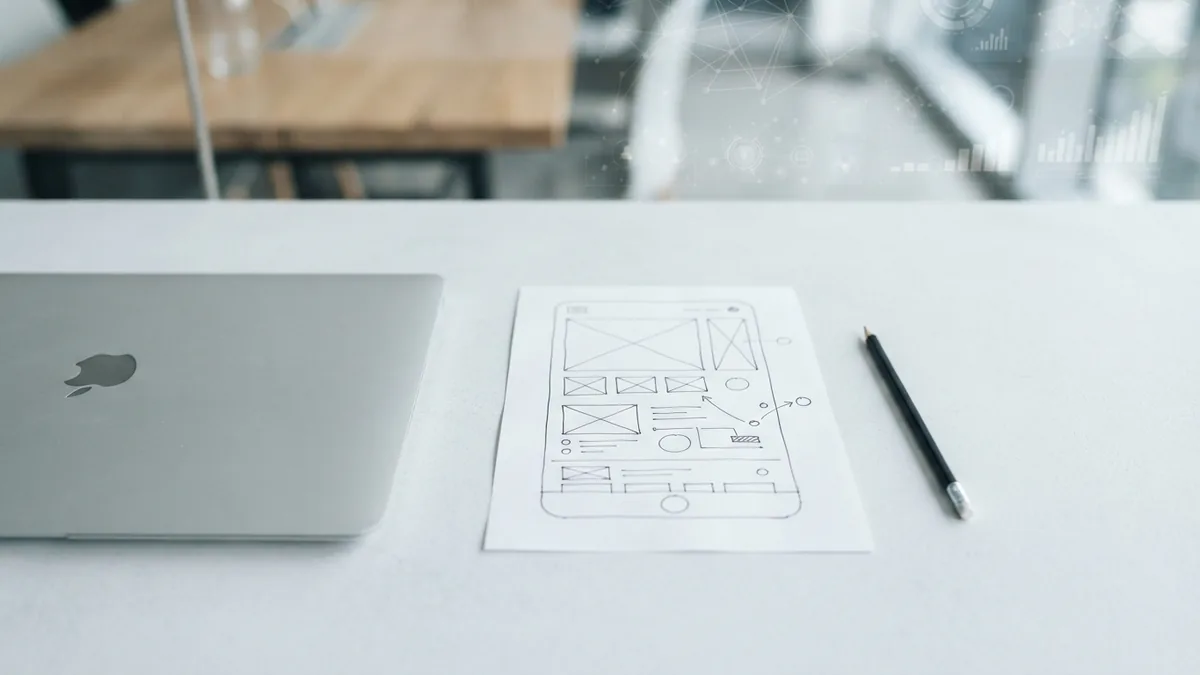
Sketch the main screens on paper or in a design tool. Show the sketch to a few likely users and ask them to describe what they would do. Their questions can reveal gaps before you write code. Keep the first test small.
- Pick a small problem. Choose a task you can explain in one sentence.
- Set the first version. List only the core features users need.
- Sketch the flow. Draw the screens and how users move between them.
- Choose a build path. Try low-code, web tools, or a programming language.
- Build and test. Share a simple version, gather notes, and fix the biggest issue.
New builders can learn with free guides and short courses. MDN Web Docs offers trusted lessons on HTML, CSS, and JavaScript for browser apps. Start with one language and build small projects, such as a task list or a simple budget tool.
Keep each project small enough to finish. Save your work in a code repository, write down what you changed, and ask for feedback in a coding group or local meetup. A finished project teaches more than several unfinished tutorials.
Low-code or custom app development?
Low-code app development uses visual blocks, forms, and ready-made parts. It can help a beginner make a working demo without learning much code first. It also lets a team test an idea quickly. The trade-off is less freedom when the app needs unusual features or tight control.
Custom app development means writing code for the app's exact needs. It gives a team more control over how the app looks, works, and connects to other services. It also takes more skill, time, and upkeep. Many teams need a developer to build and support it.
| Choice | Best fit | Main limit |
|---|---|---|
| Low-code | Quick demos and simple team tools | Less room for special features |
| Custom | Distinct needs and long-term control | More build time and upkeep |
Choose low-code when speed matters and the tool can meet your needs. Choose custom work when the app needs special rules, scale, or control over its data. You can also begin with a low-code test, then rebuild once users prove the idea has value.

Common challenges and ways to handle them
Learning to build apps can feel steep at first. New terms, tools, and errors arrive at once. Pick one path and follow it long enough to finish a small project. When a bug appears, change one thing at a time and note what happens.
Scope is another common trap. A first idea can grow to include chat, payments, maps, and alerts. Each feature adds build and test work. Keep a short list of must-have features, then move the rest to a later version.
- Test on more than one device or screen size.
- Ask users to try key tasks without help.
- Protect user data and collect only what the app needs.
- Plan time for bug fixes and system updates.
Feedback can be hard to hear, but it saves time when you use it well. Ask users to show where they got stuck instead of asking whether they like the app. Fix the biggest barrier first, then test again. Small feedback loops keep work focused.

Choose a first step and keep learning
App development can be a useful skill, whether you want a career or a tool of your own. Begin with a small idea, learn the tools that fit it, and make a version that someone can try. You do not need to master every language before you begin. You need a clear goal and a steady way to learn.
Look for beginner courses, official tool guides, and coding communities where members share work and ask clear questions. Build a portfolio with short projects and explain what each one does. That record can help you find a mentor, join a team, or take on freelance work.
Take the next step today: write down one user problem and sketch its first screen. Then test that idea with a real person. A small start makes the work easier to judge and improve.
Frequently asked questions
What is app development?
App development is the process of planning, building, testing, and updating software. Apps can run on phones, computers, or in a web browser.
How much does app development cost?
Costs range from a few thousand dollars for a small build to tens of thousands or more for a complex app. Features, design, testing, and ongoing care all affect the price.
How do I start app development as a beginner?
Pick one user problem, list a few core features, and sketch the screens. Then choose a tool or language, build a small version, and test it with users.
Is app development hard to learn?
It can feel hard at first because you learn tools, code, and problem solving together. A small project and one learning path make the first steps easier.
What is low-code app development?
Low-code development uses visual tools and ready-made parts to build apps with little hand-written code. It can speed up simple builds, but may limit custom features.
Should I choose low-code or custom app development?
Low-code often suits quick demos and simple tools. Custom development fits apps that need special features, more control, or room to grow.